HAMi WebUI User Guide
HAMi WebUI is the visual interface provided by HAMi for unified monitoring and analysis of GPU resources and workloads. With a unified visualization, users can intuitively view the cluster running status, including GPU usage, node information, and workload status, so that they can more efficiently understand resource distribution and the overall system state.
Core capabilities
HAMi WebUI focuses on GPU resource management and observability, and provides the following core capabilities.
Cluster overview
On the cluster overview page, you can quickly understand the overall running status of the current cluster, including:
- GPU resource usage (utilization, allocation, etc.)
- Node resource status
- Key metric trends
- Time range filtering and trend display
With unified charts and metrics, users can grasp the global system status on a single page. Key metrics also support drill-down navigation, for example, clicking on "Schedulable" can quickly jump to the node management page to view nodes in that state.
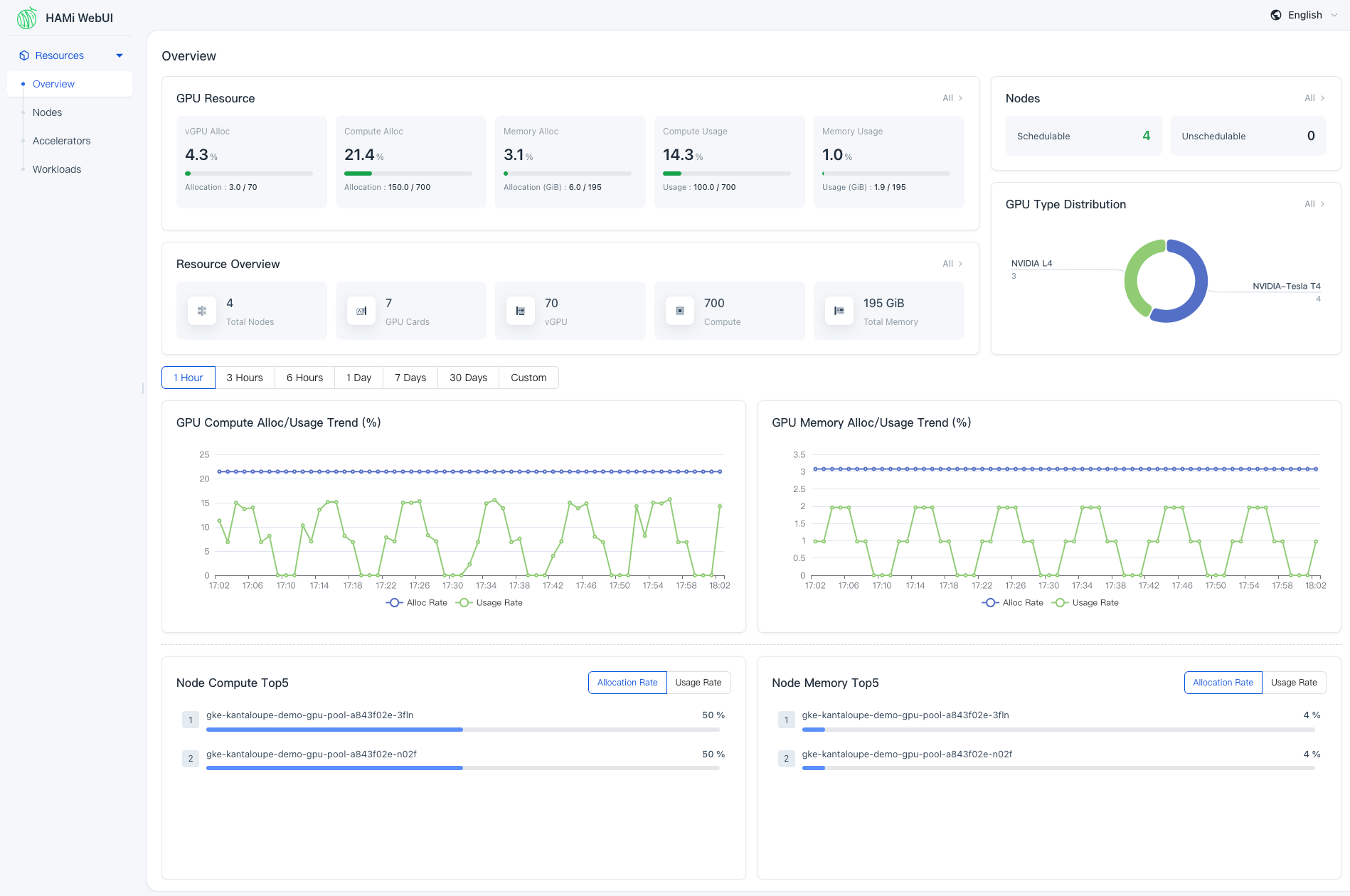
Figure 1 HAMi WebUI Cluster Overview
Node management
HAMi WebUI provides a node-level resource view, including:
- Total GPUs and their allocation/usage per node
- Workload distribution on each node
You can compare resource usage and workload distribution across different nodes to identify imbalances. On the node details page, you can further inspect GPU usage and task distribution on that node to better understand load distribution.
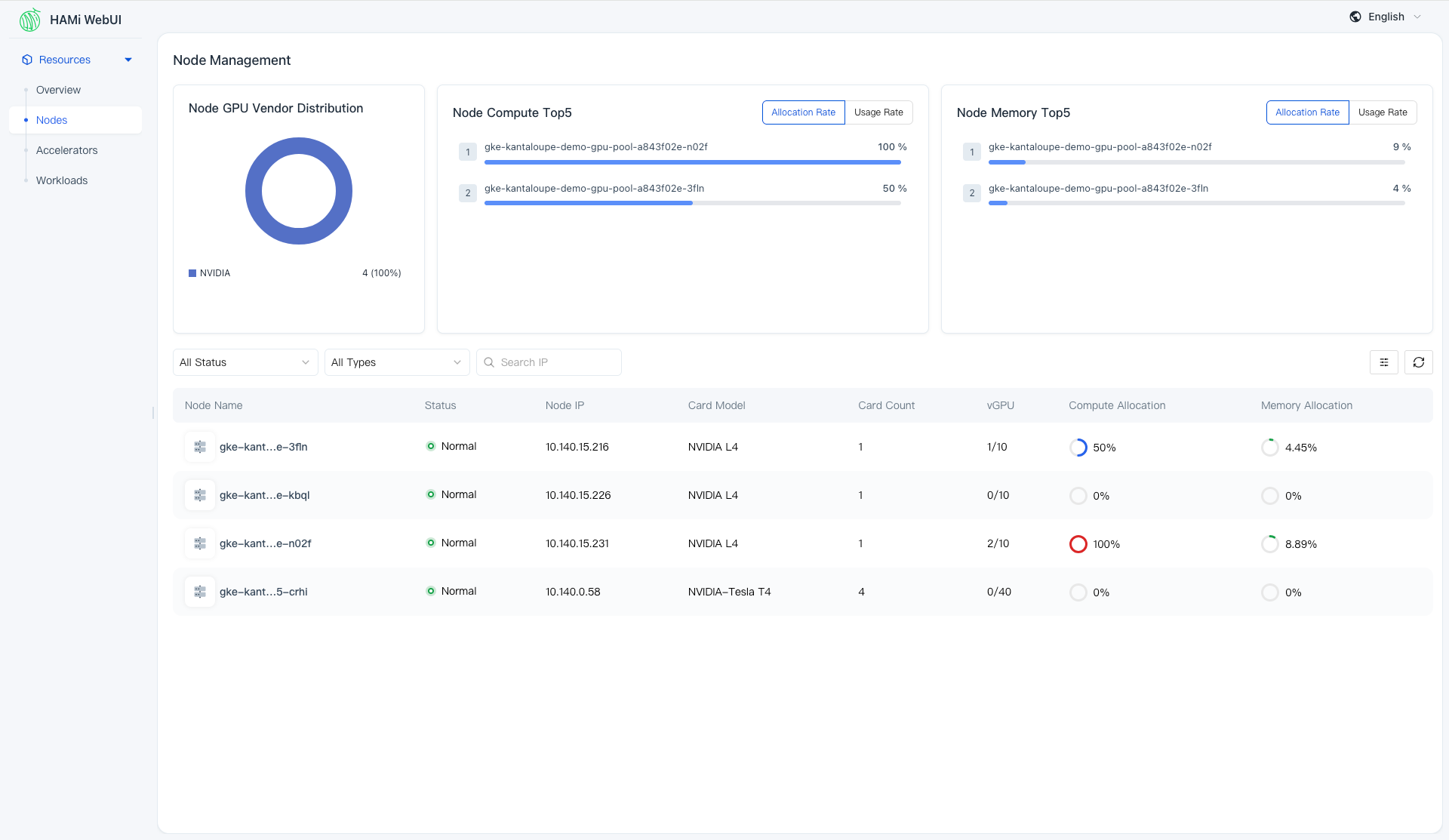
Figure 2 HAMi WebUI Node List
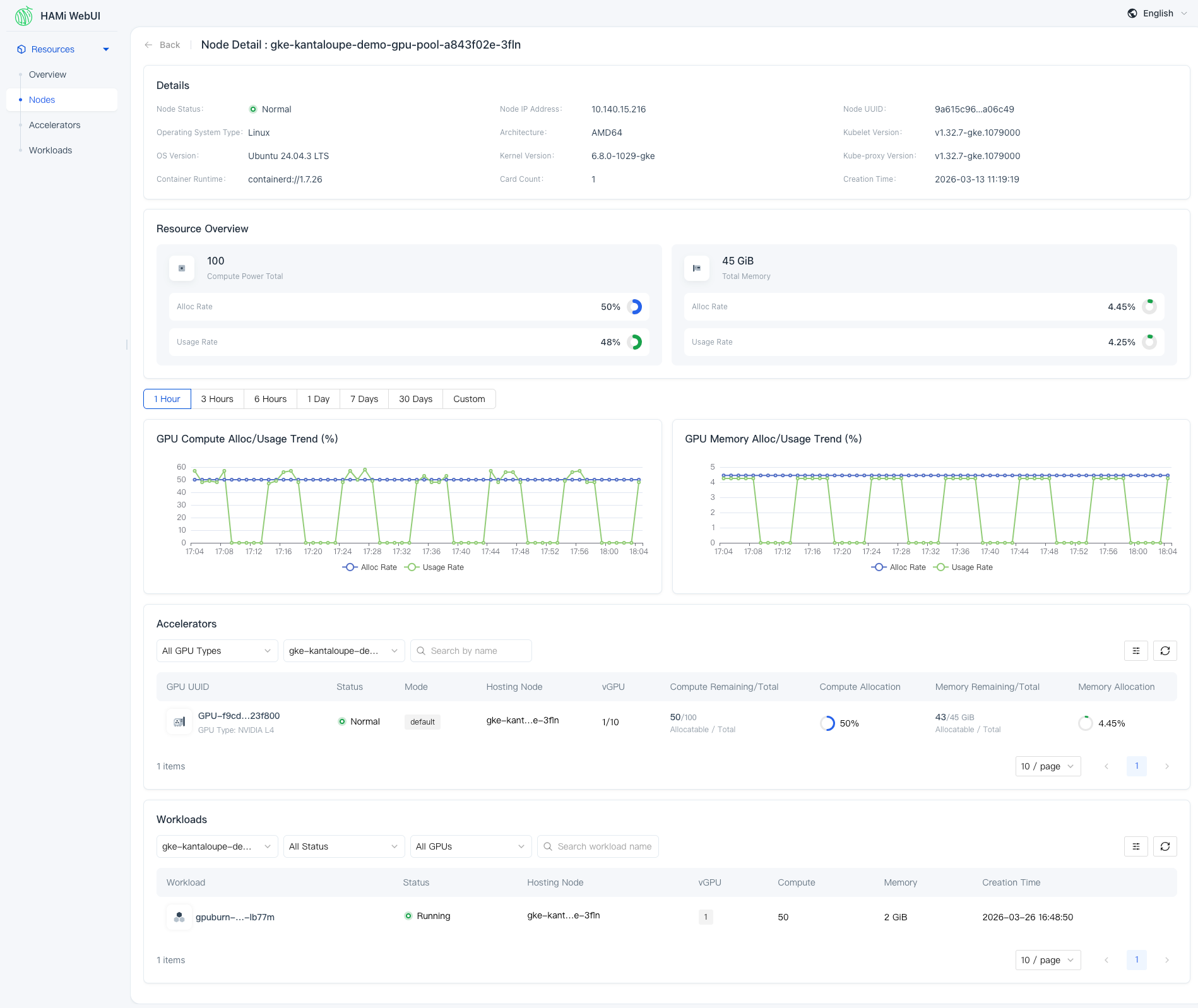
Figure 3 HAMi WebUI Node Details
GPU management
From the GPU perspective, HAMi WebUI supports fine-grained inspection of each GPU card:
- Allocation status, utilization, and memory usage of each GPU
- Basic information such as the node the GPU belongs to
This helps users understand the distribution of compute resources, and how GPU compute and memory are allocated and consumed.
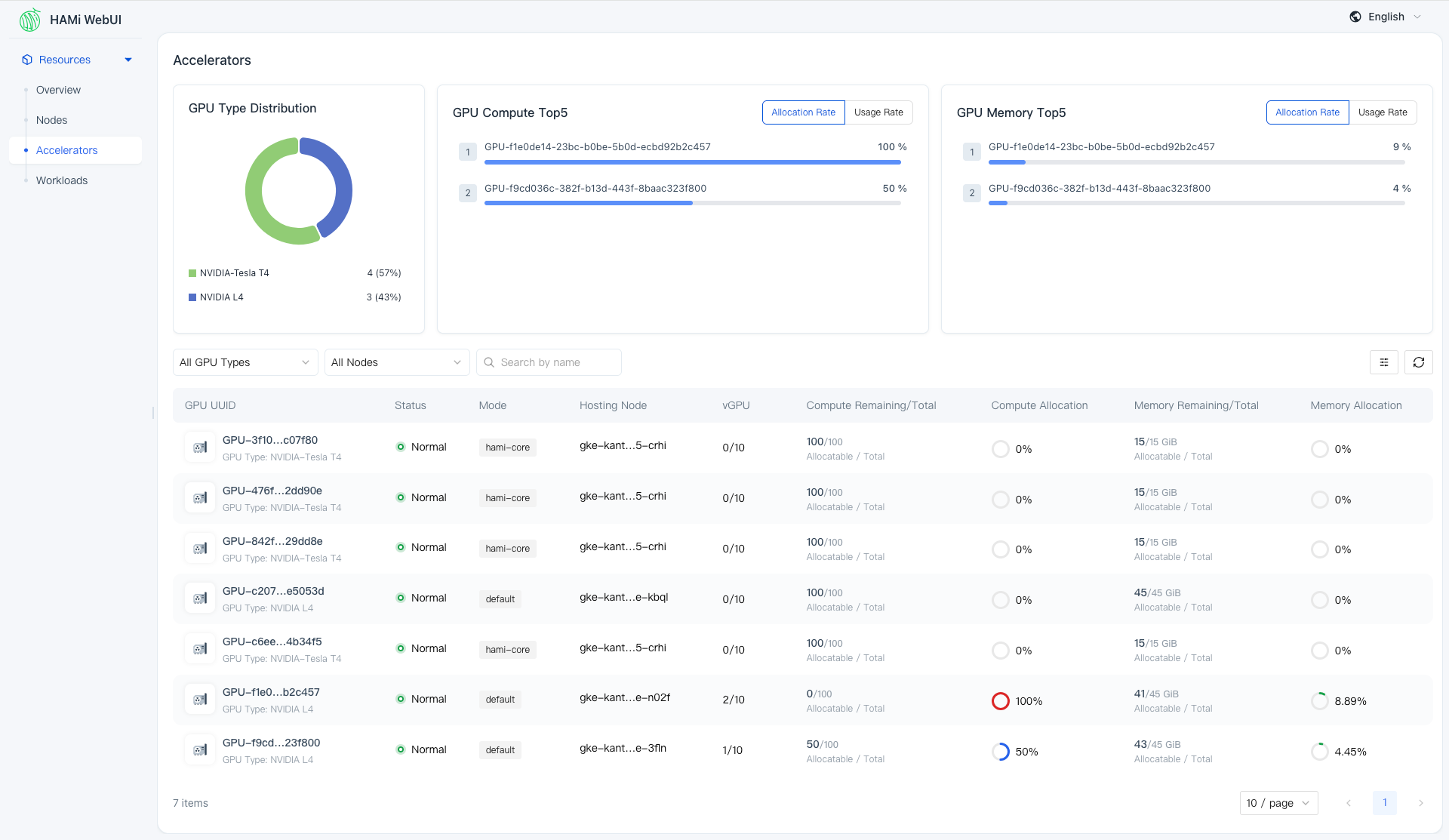
Figure 4 HAMi WebUI Accelerator List
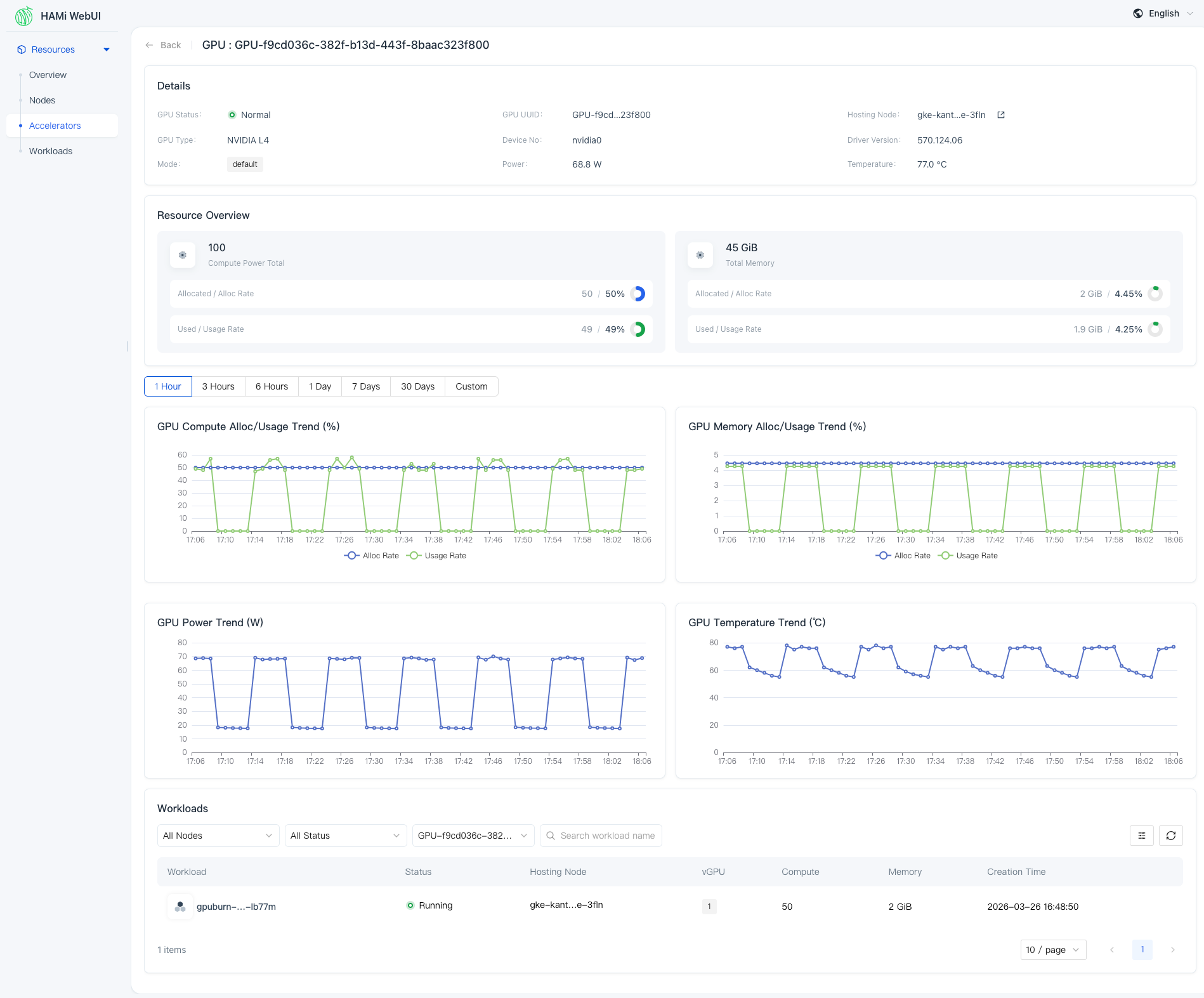
Figure 5 HAMi WebUI Accelerator Details
Workloads
From the workload perspective, HAMi WebUI allows you to view:
- GPU usage of each workload
- Resource allocation details
- Runtime status
This makes it easier to understand how workloads consume GPU resources and to correlate workload behavior with cluster resource usage.
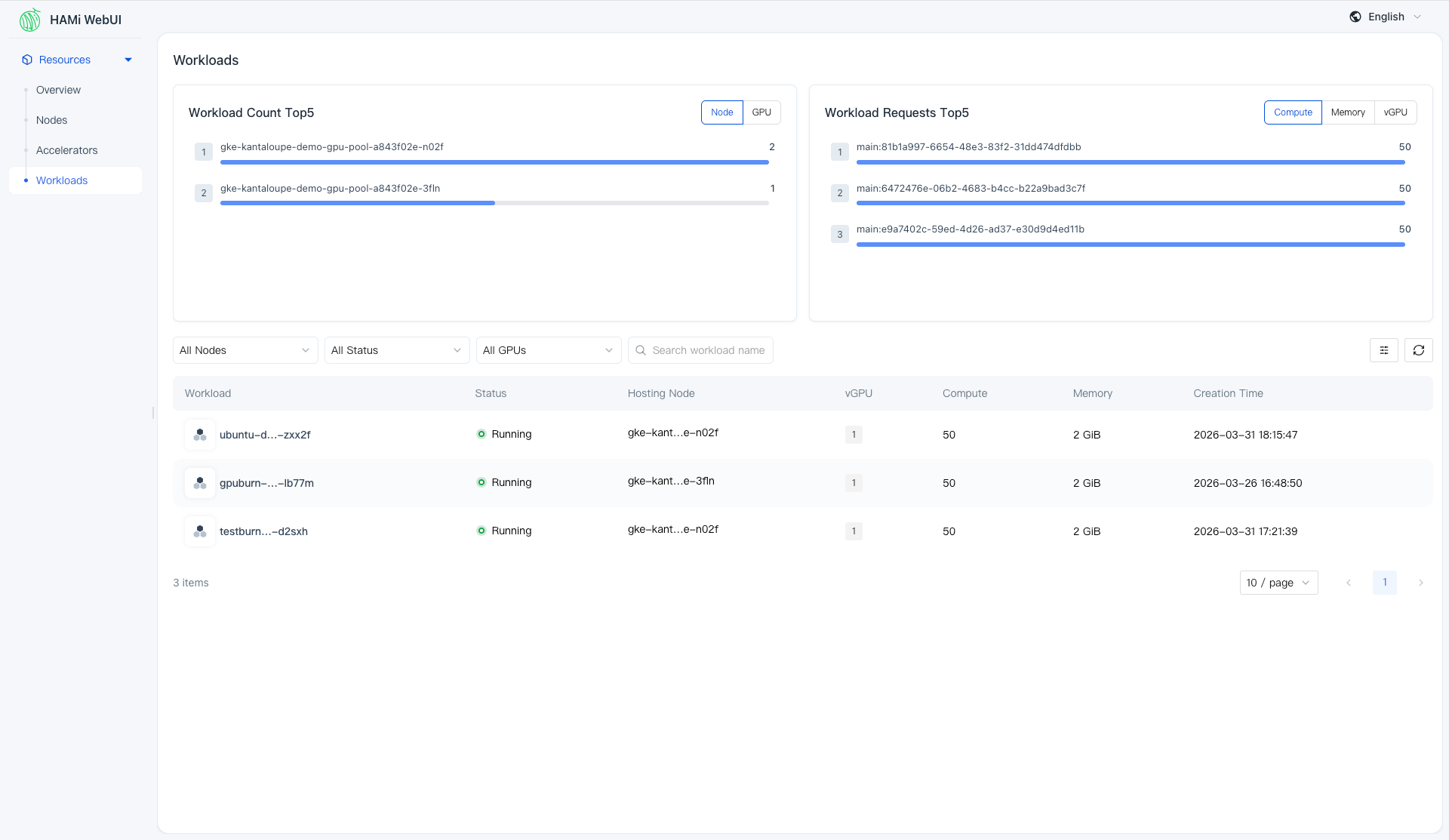
Figure 6 HAMi WebUI Workload List
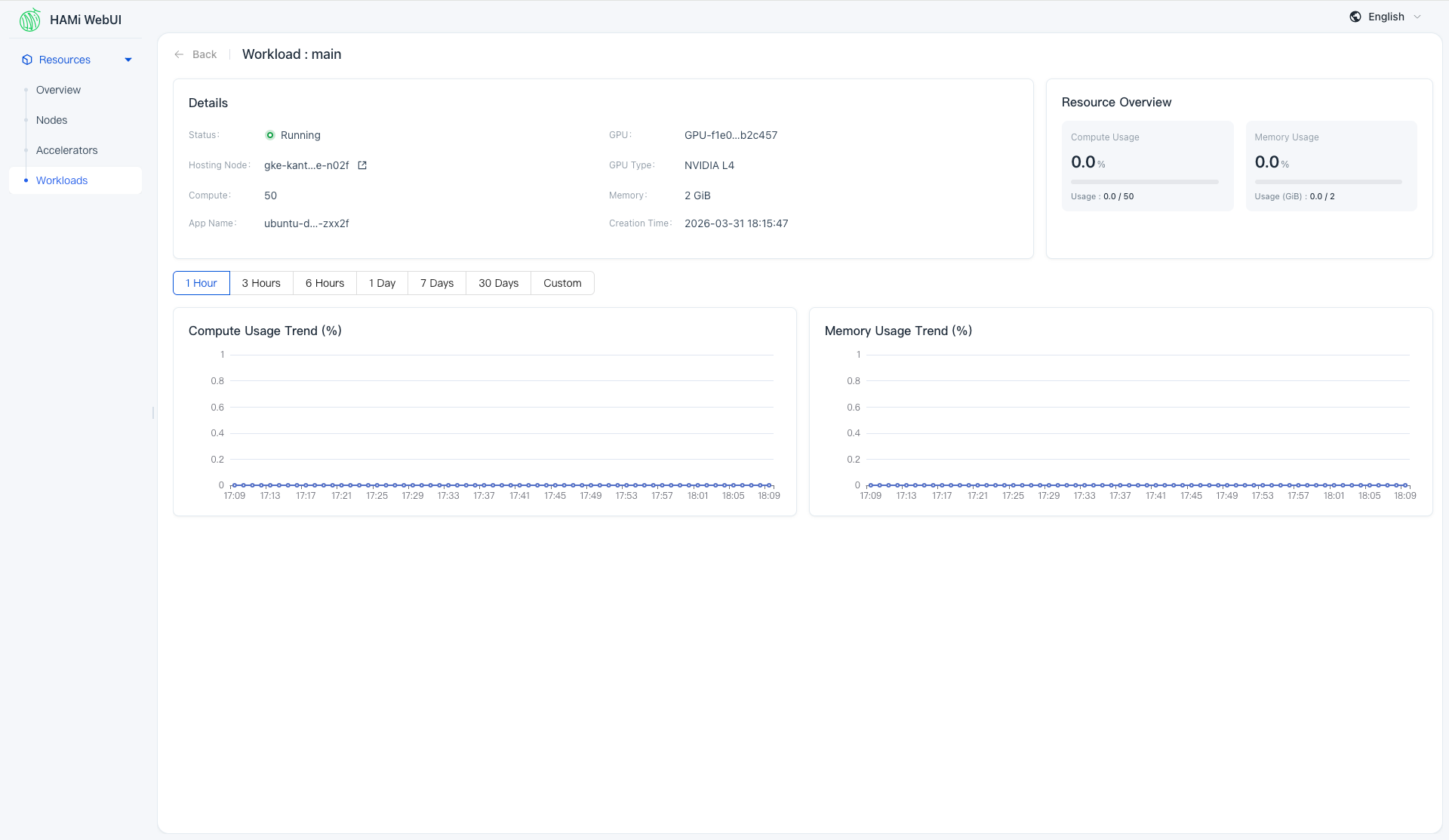
Figure 7 HAMi WebUI Workload Details
Relationship with HAMi
HAMi WebUI is the visualization component in the HAMi ecosystem:
- HAMi is responsible for GPU resource scheduling and management.
- WebUI is responsible for data presentation and user interaction.
Together, they form a complete loop from resource scheduling to visual monitoring.
Summary
HAMi WebUI provides a visualization solution centered on GPU resources, enabling users to:
- Understand cluster status more efficiently
- Analyze resource usage
- Locate issues and optimize resource usage
In production environments, WebUI can significantly reduce the complexity of GPU operations and management.
